More efficient logistics
Code scanning, structured forms and dictated notes reduce repetitive typing and speed up shipment registration.
 Apps that make life easier
Built for logistics, warehouses and production
Reduce avoidable mistakes, organise documentation and storage locations, and save time with one practical Android app.
7 days of full functionality, free. No commitment.
Version 0.3.11 (14) is available on Google Play in Poland and Germany.
 Shipments under control
PackMagBox supports day-to-day shipment work without a complex cloud rollout. It is designed for warehouses, wholesalers, online shops, service teams and production companies.
Code scanning, structured forms and dictated notes reduce repetitive typing and speed up shipment registration.
QR shelf labels and recorded storage locations help staff find the right parcel more quickly.
Photos, contents, comments and shipment details stay together. Documentation can be prepared and shared by email.
Statuses, photos and the operation log help reconstruct handling steps and clarify discrepancies or claims.
A separate sample warehouse lets new staff practise with fictional data without affecting the real register.
Worker profiles with PINs, assigned operations and worker statistics make responsibility easier to follow.
Records, photos and profiles can be saved in an encrypted .qmbak backup protected by a separate password.
Less time spent searching for parcels, documenting by hand and investigating errors can reduce daily handling costs.
Shipment locations
Create shelf labels with QR codes inside the app. When receiving a parcel, a worker can scan the shelf label or enter the storage location manually. The location remains attached to the shipment record, making the parcel easier to find later.
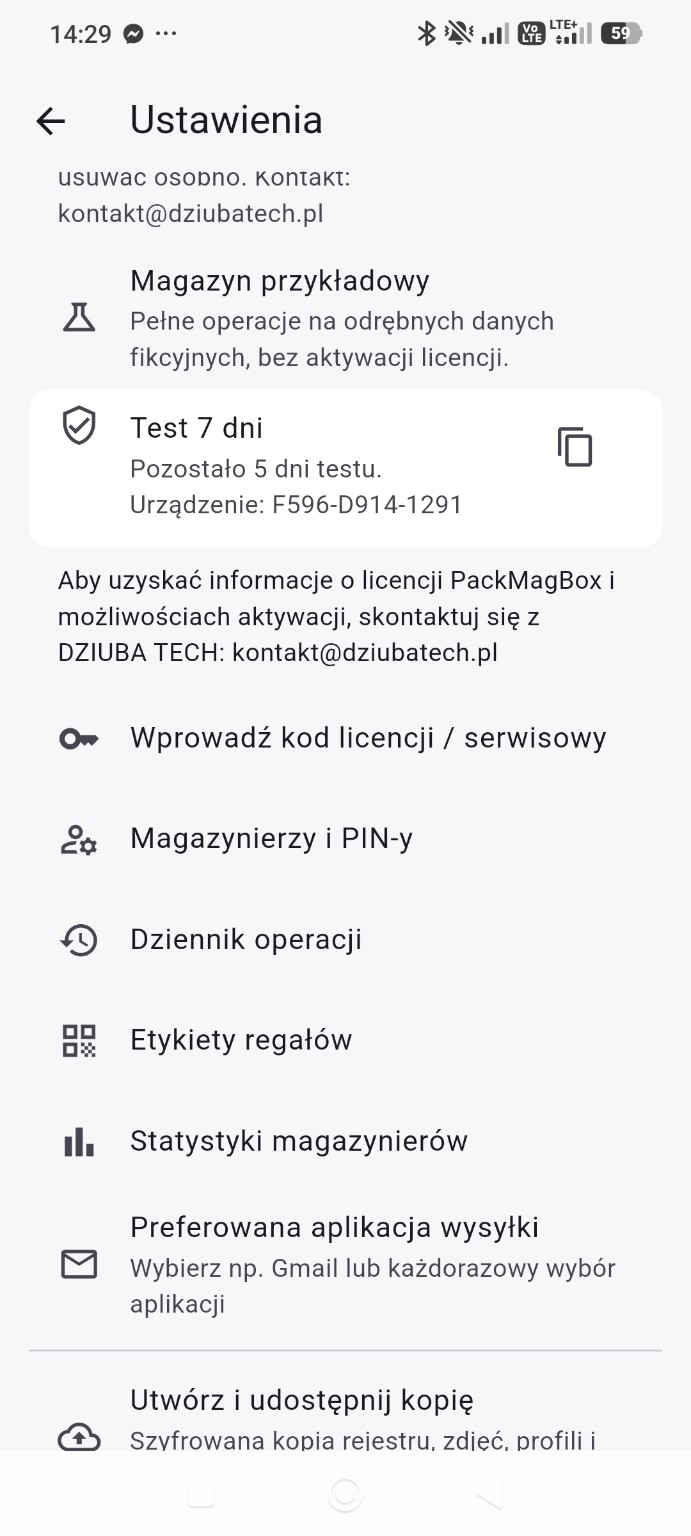
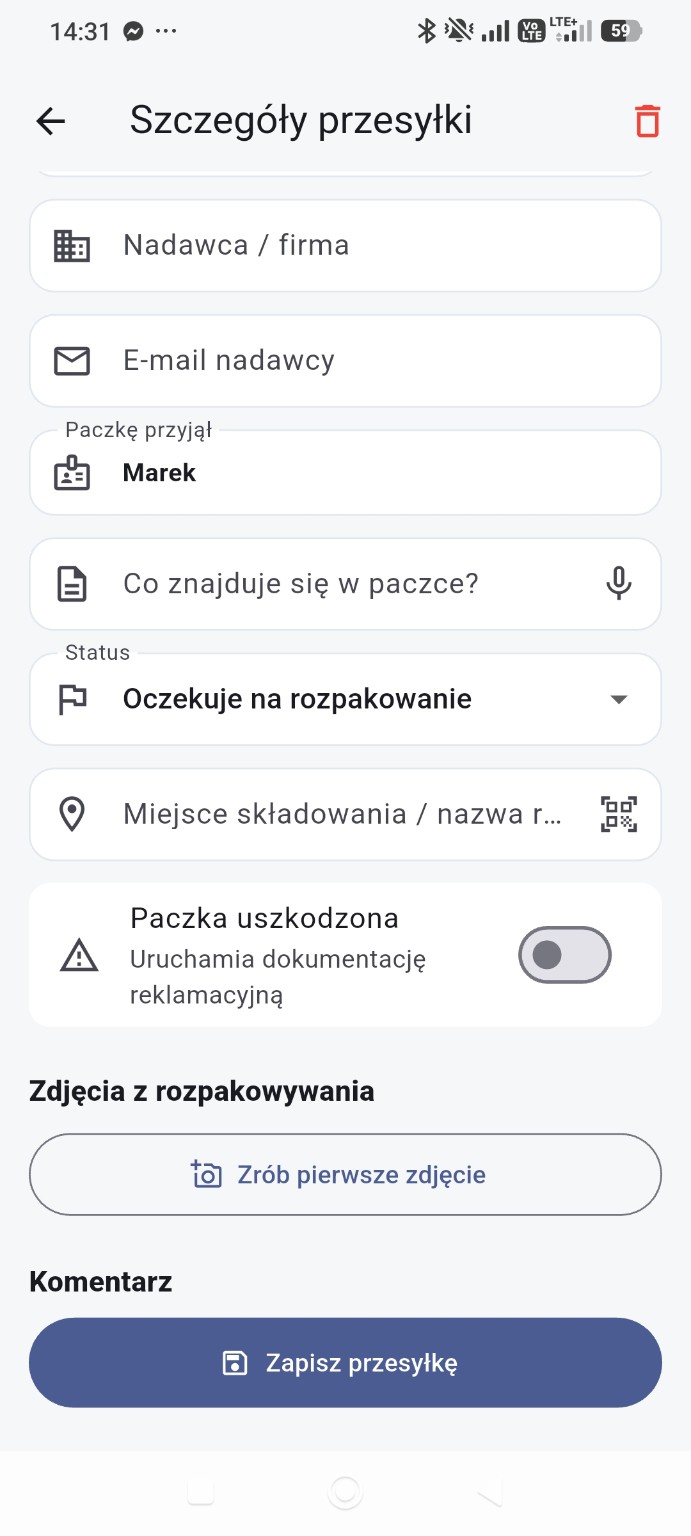
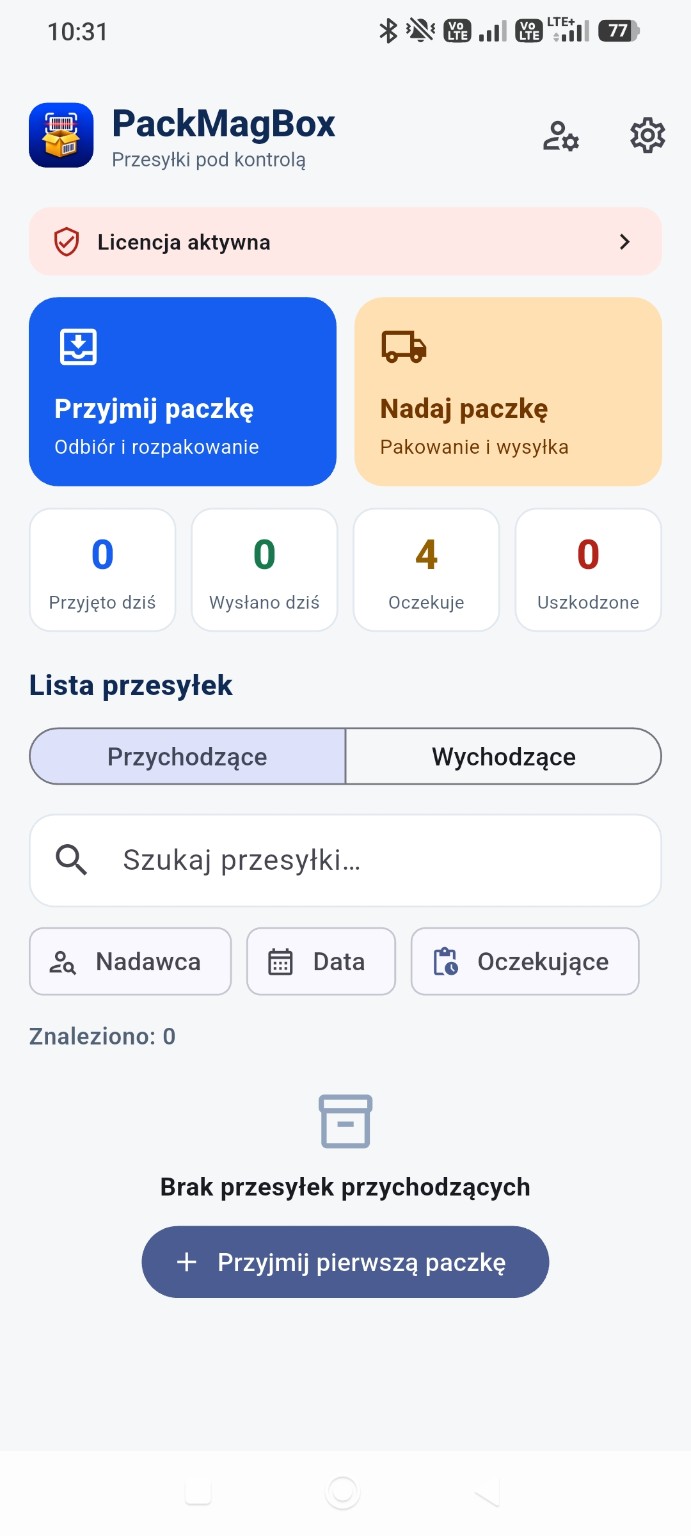
Real PackMagBox screens show shipment records, photo documentation, report sharing and worker profiles.
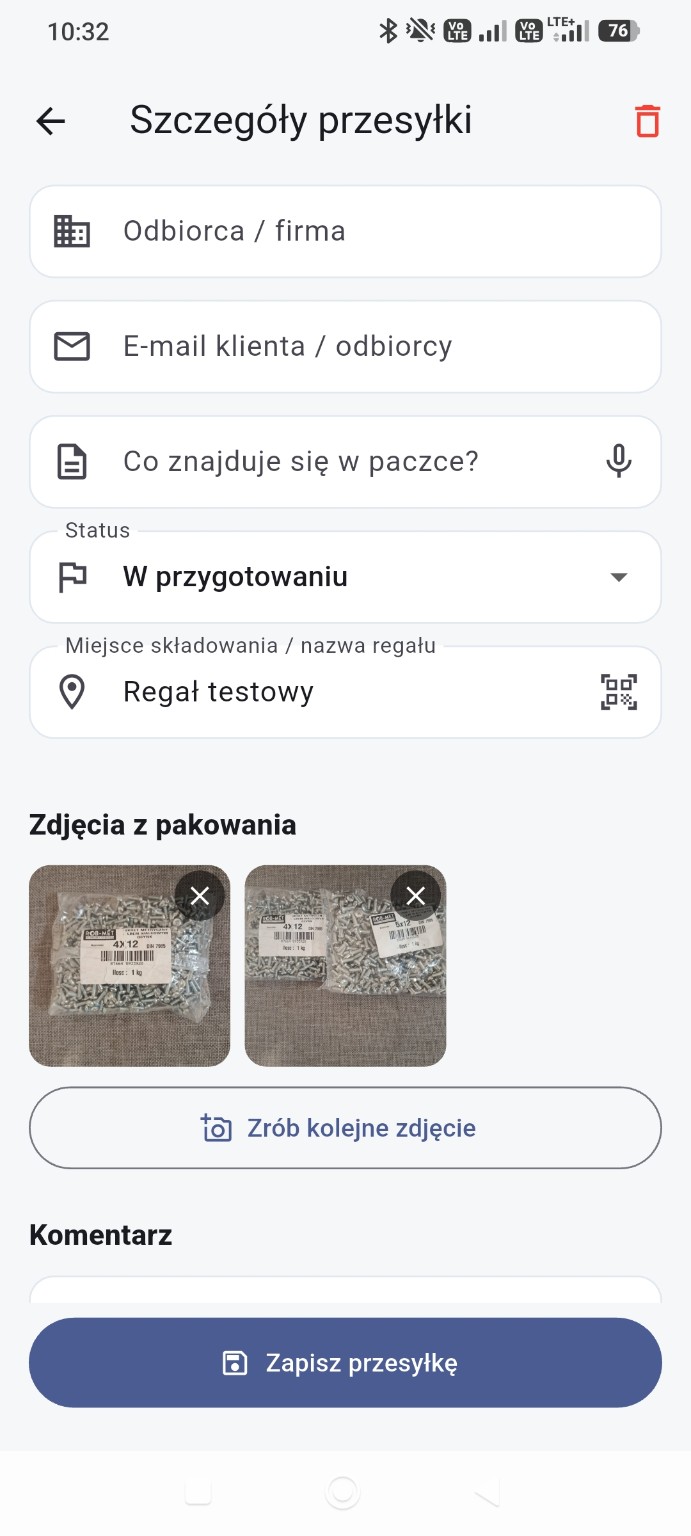
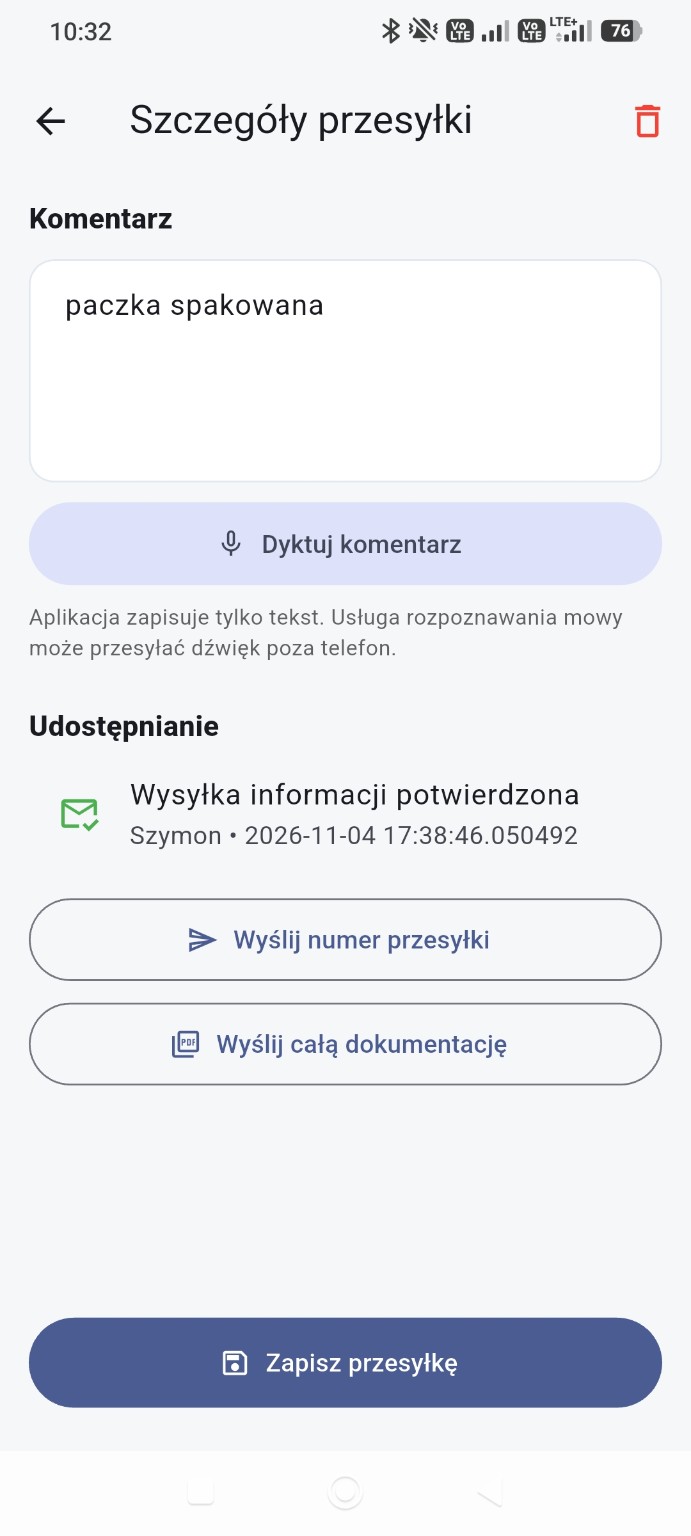
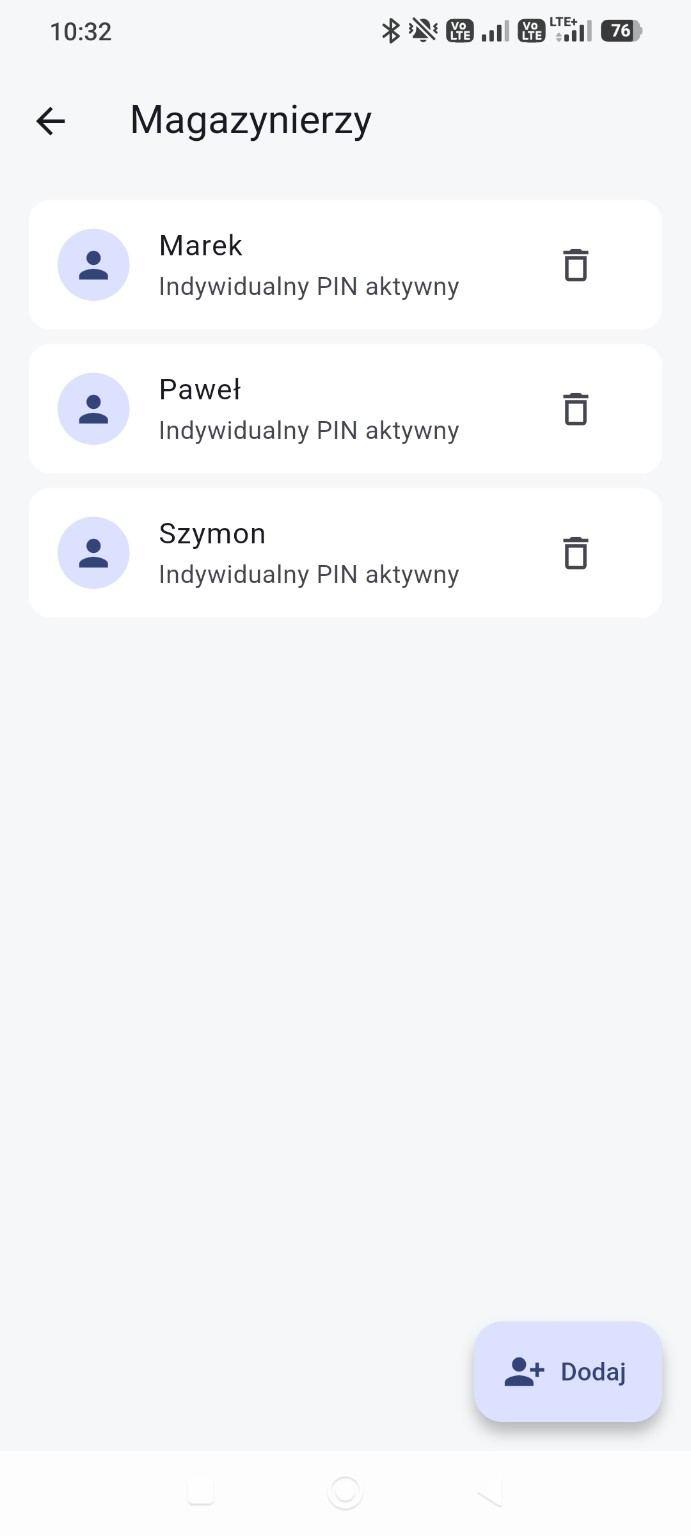
The walkthrough covers the app's key features. Playback starts at 0:00, never starts automatically and scales to phones and desktops.
Enter your own assumptions to explore a sample scenario. Every calculation runs locally in your browser and is not sent to DZIUBA TECH.
No meeting or sales call is required. Download the app, watch the walkthrough and evaluate it in your daily workflow.
Install PackMagBox from Google Play.
Use every feature for seven days.
Practise with separate fictional data without activating a licence.
Try receiving, dispatching and documenting your real shipments.
If the app fits your business, contact DZIUBA TECH.
The app switches to a restricted mode. You can still view data and use the permitted export, document-sharing and backup functions. Full functionality returns after licence activation.
Business licence
Email kontakt@dziubatech.pl to ask about licence activation. This website does not offer online checkout or payment processing.
No. Shipment records and photos are stored locally on the device. The app does not provide automatic synchronisation between devices.
No. Every feature is available for seven days, and the trial does not start an automatic payment.
No. Data remains available for viewing along with permitted export, document-sharing and backup functions. Writing new data requires an active licence.
New .qmbak backups protected by a separate password are encrypted. Ordinary PDFs and photos are not encrypted by the app.